
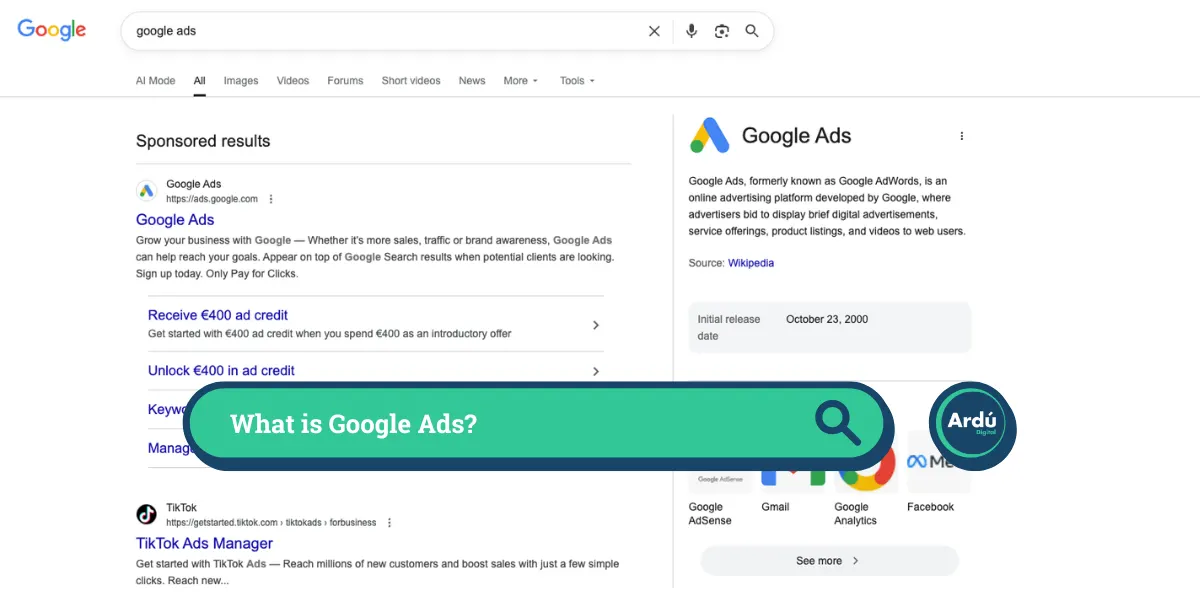

At its core, Google Ads is an online advertising programme where businesses pay to display adverts to people across the internet. It operates on a Pay-Per-Click (PPC) model. This means you only pay when a user actually interacts with your advert, for example, by clicking through to your website or calling your business.
In 2026, it has evolved from a simple search tool into a massive AI-driven ecosystem that predicts user behaviour to match the right business with the right customer at the right moment.
How It Works: The Auction
Every time someone performs a search or visits a page with advert space, Google runs a lightning-fast auction to decide which adverts to show. It is not just about who has the highest budget; Google uses a formula called Adrank:

- The Bid – The maximum amount you are willing to pay for a click.
- Quality Score – A rating from 1 to 10 of how relevant your advert and landing page are to what the user is searching for.
- Ad Impact – Extra points awarded for using features like location information, site links, or image extensions.
A high Quality Score can allow your advert to appear above a competitor who is bidding far more money than you.
Campaign Types and Image Specifications
Google Ads operates across several different “networks”. Modern campaigns rely heavily on visual assets. Below is a breakdown of the different campaign types and the specific image sizes required for each.
1. Search Campaigns
These are the classic text adverts at the top of Google search results. However, they now utilise “Image Assets” to make them visually appealing.
- Square (1:1) – Minimum 300 x 300 pixels. Recommended 1200 x 1200 pixels.
- Landscape (1.91:1) – Minimum 600 x 314 pixels. Recommended 1200 x 628 pixels.
2. Display Campaigns
These show visual banners on over 2 million websites and applications. Most advertisers use Responsive Display Ads (RDAs), which automatically adjust their size to fit available spaces.
- Responsive Display Ads –
- Landscape (1.91:1) – 1200 x 628 pixels.
- Square (1:1) – 1200 x 1200 pixels.
- Logo (1:1) – 1200 x 1200 pixels.
- Landscape Logo (4:1) – 1200 x 300 pixels.
- Standard Uploaded Adverts (Fixed Sizes) – Common sizes include 300 x 250 (Medium Rectangle), 728 x 90 (Leaderboard), 160 x 600 (Wide Skyscraper), and 320 x 50 (Mobile Leaderboard).
3. Performance Max (PMax)
PMax is an all-in-one campaign type that uses AI to distribute your adverts across Search, YouTube, Gmail, Maps, and Display.
- Landscape (1.91:1) – 1200 x 628 pixels.
- Square (1:1) – 1200 x 1200 pixels.
- Portrait (4:5) – 960 x 1200 pixels. (Crucial for mobile feeds).
- Logos – 1200 x 1200 pixels (Square) and 1200 x 300 pixels (Landscape).
4. Demand Gen Campaigns
Replacing the older Discovery campaigns, Demand Gen focuses on highly visual placements across YouTube Shorts, standard YouTube, Discover, and Gmail.
- Square (1:1) – 1200 x 1200 pixels.
- Landscape (1.91:1) – 1200 x 628 pixels.
- Portrait (4:5) – 960 x 1200 pixels.
- Logo (1:1) – 1200 x 1200 pixels.
5. Shopping Campaigns
Shopping adverts display product images and prices when people search for specific items. These images are not uploaded directly to the campaign but are pulled from a connected Google Merchant Centre product feed.
- Standard Requirement – Images must be a minimum of 100 x 100 pixels (or 250 x 250 pixels for clothing and apparel).
- Best Practice – Google highly recommends using high-quality, square (1:1) images of at least 800 x 800 pixels with a solid white background.
6. App Campaigns
Designed to drive application installations and in-app actions across Google’s networks.
- Landscape (1.91:1) – 1200 x 628 pixels.
- Square (1:1) – 1200 x 1200 pixels.
- Portrait (4:5) – 1200 x 1500 pixels.
Measuring Success: Conversion Metrics
Driving traffic is only the first step. To understand if your investment is profitable, you must track conversions. A conversion is any valuable action a user takes, such as buying a product, submitting a lead form, or calling your business.
Here are the critical conversion metrics you must track and analyse:
- Conversion Rate (CVR) – The percentage of people who clicked your advert and then completed a conversion. If 100 people click your advert and 5 buy something, your CVR is 5%. This metric highlights how effective your landing page and targeting are.
- Cost Per Conversion / Cost Per Action (CPA) – How much you spend on average to acquire one conversion. If you spend €100 on clicks to get 2 sales, your CPA is €50. This is vital for lead-generation businesses.
- Return on Ad Spend (ROAS) – A crucial metric for eCommerce. It measures the revenue generated for every euro spent on advertising. If you spend €100 and generate €500 in sales, your ROAS is 500% (or 5:1).
- Conversion Value – The total monetary value of the conversions driven by your adverts. This helps Google’s automated bidding algorithms understand which products or services are most profitable.
- View-through Conversions – This tracks when a user sees your visual advert (like a Display or YouTube advert), does not click it at that exact moment, but later returns to your website to convert. It proves the hidden value of brand awareness.
Modern Trends and Optimisation
Success in Google Ads now relies heavily on data and automation. Instead of manually adjusting bids by pennies, advertisers provide Google with high-quality creative assets and rich business data (like customer CRM lists). The AI then takes over, optimising bids in real-time to maximise either conversion volume or total ROAS. Because of modern privacy regulations, tracking relies less on cookies and more on first-party data and statistical modelling to give you a complete picture of your campaign performance.